AI Photo Editor for Hotels
Guest room · Lobby · Restaurant · Spa · Terrace
From guest rooms to the spa, Sublify corrects and elevates photos of every space in your property. You upload a photo and get a professional visual in about thirty seconds.
Result in 30 sec · No subscription · From €9.90
Sublify is the AI photo editor for hotels: guest rooms, lobby, breakfast room, restaurant, façade, pool and spa, gym, terrace. You start from the photos you already have, and you get professional visuals for Booking, Expedia and your own website, in about thirty seconds.
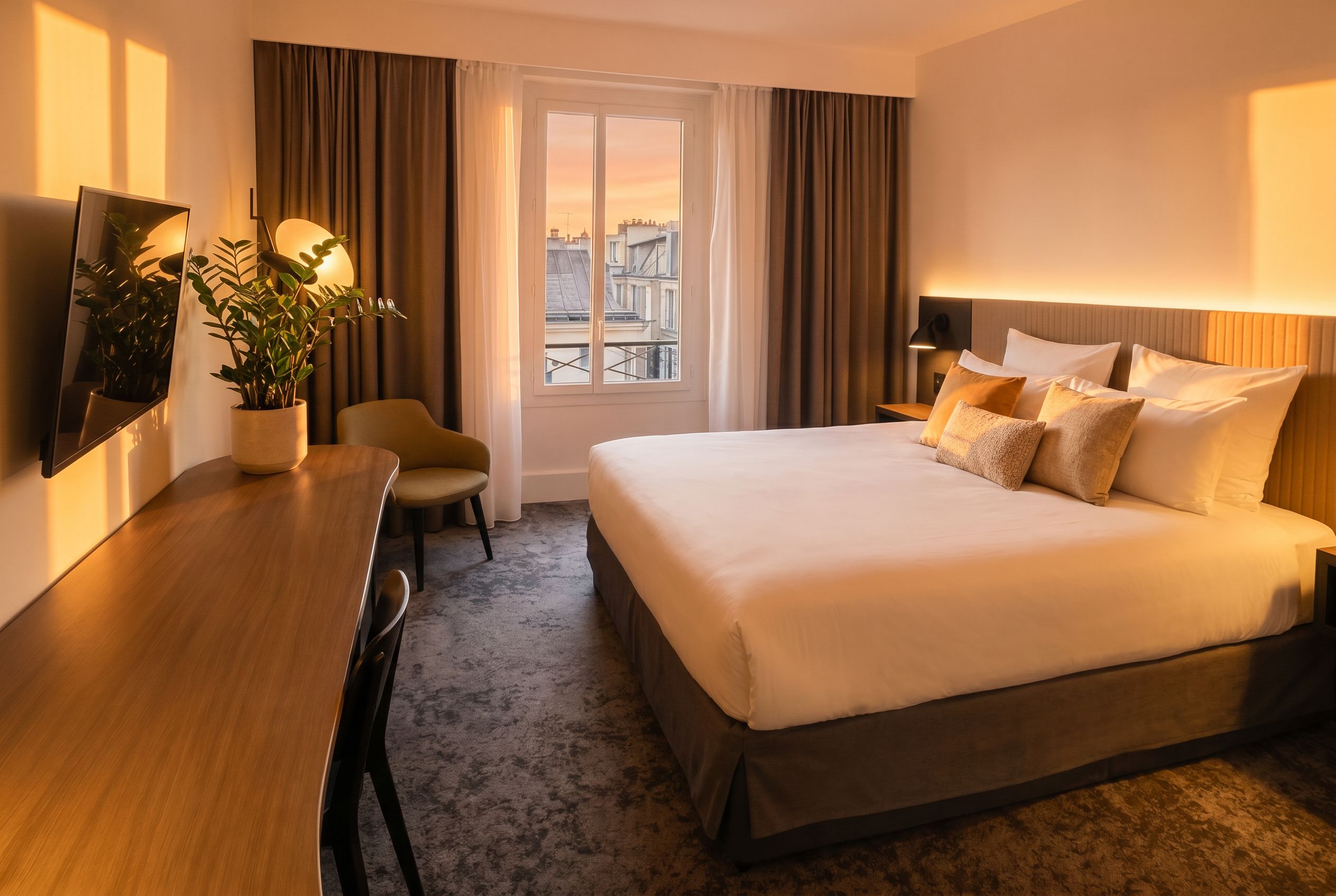
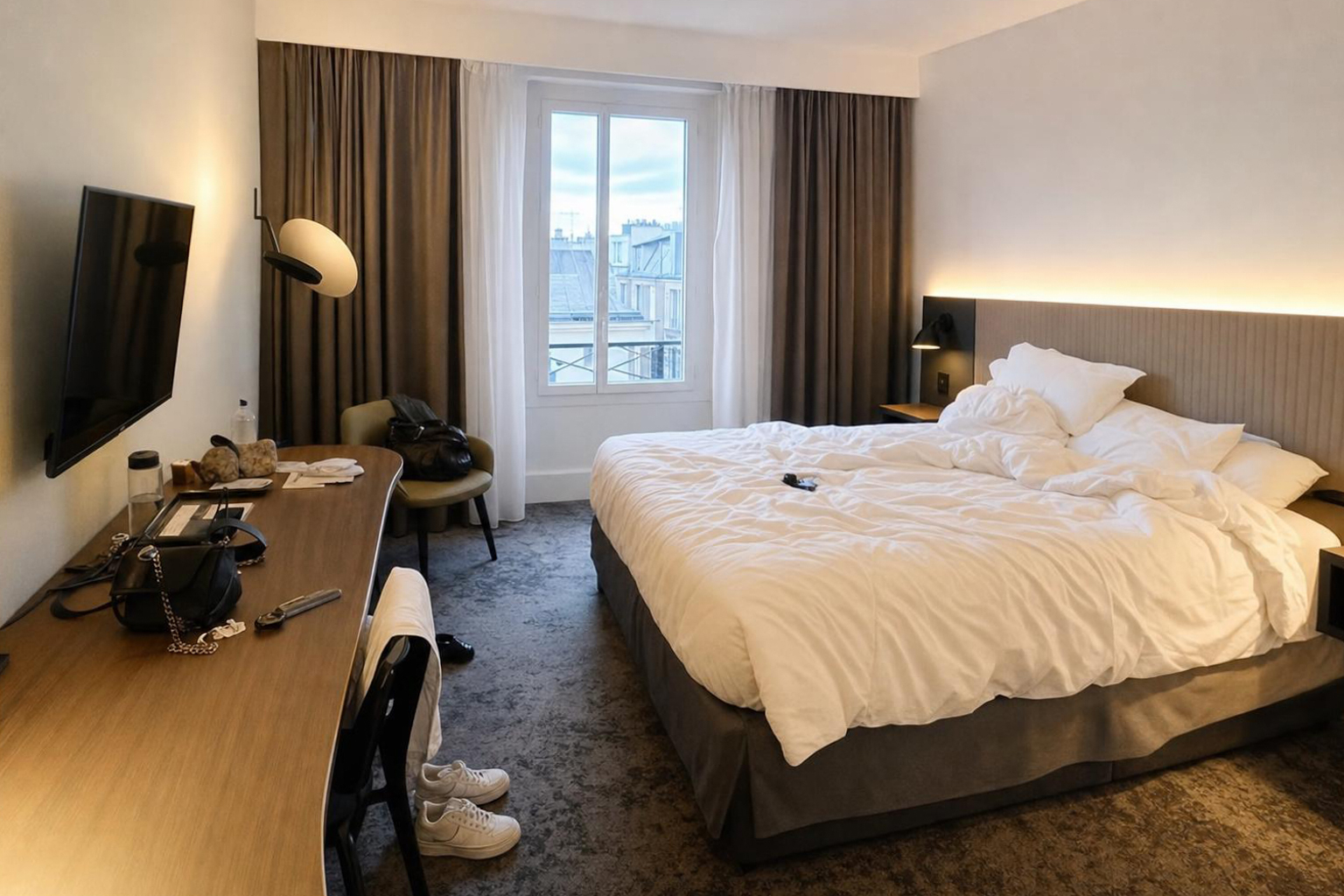
Your spaces, before and after
Drag the slider: your photo on the left, the result in Faithful mode on the right.
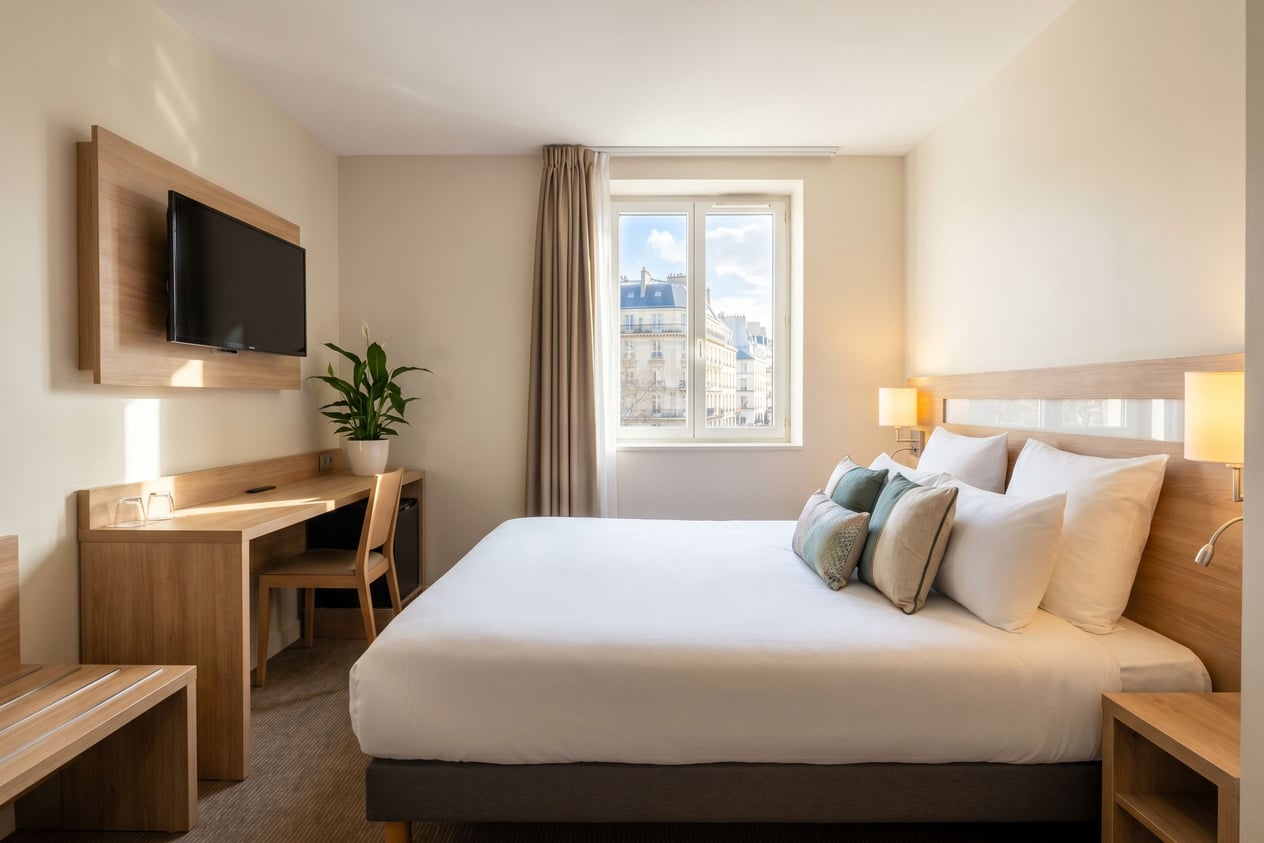
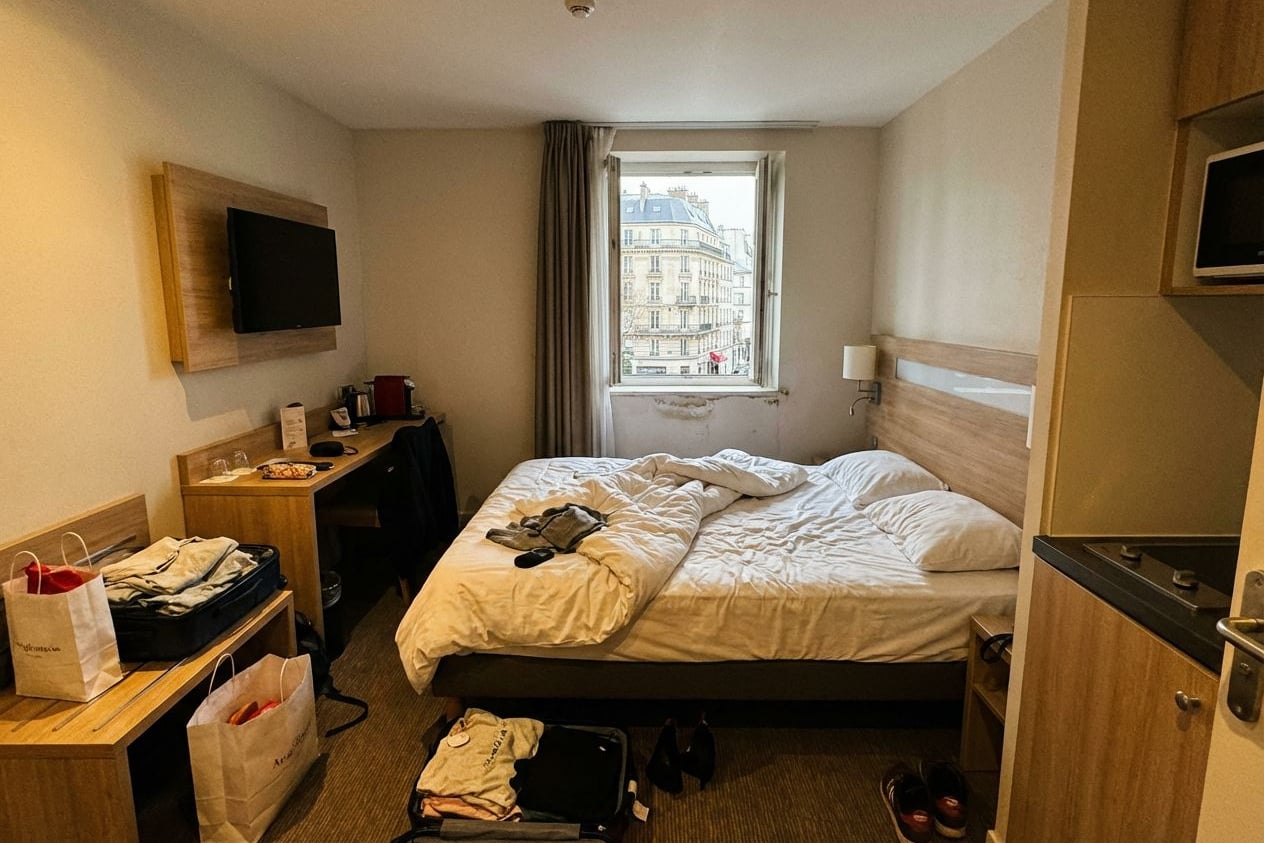
Guest room
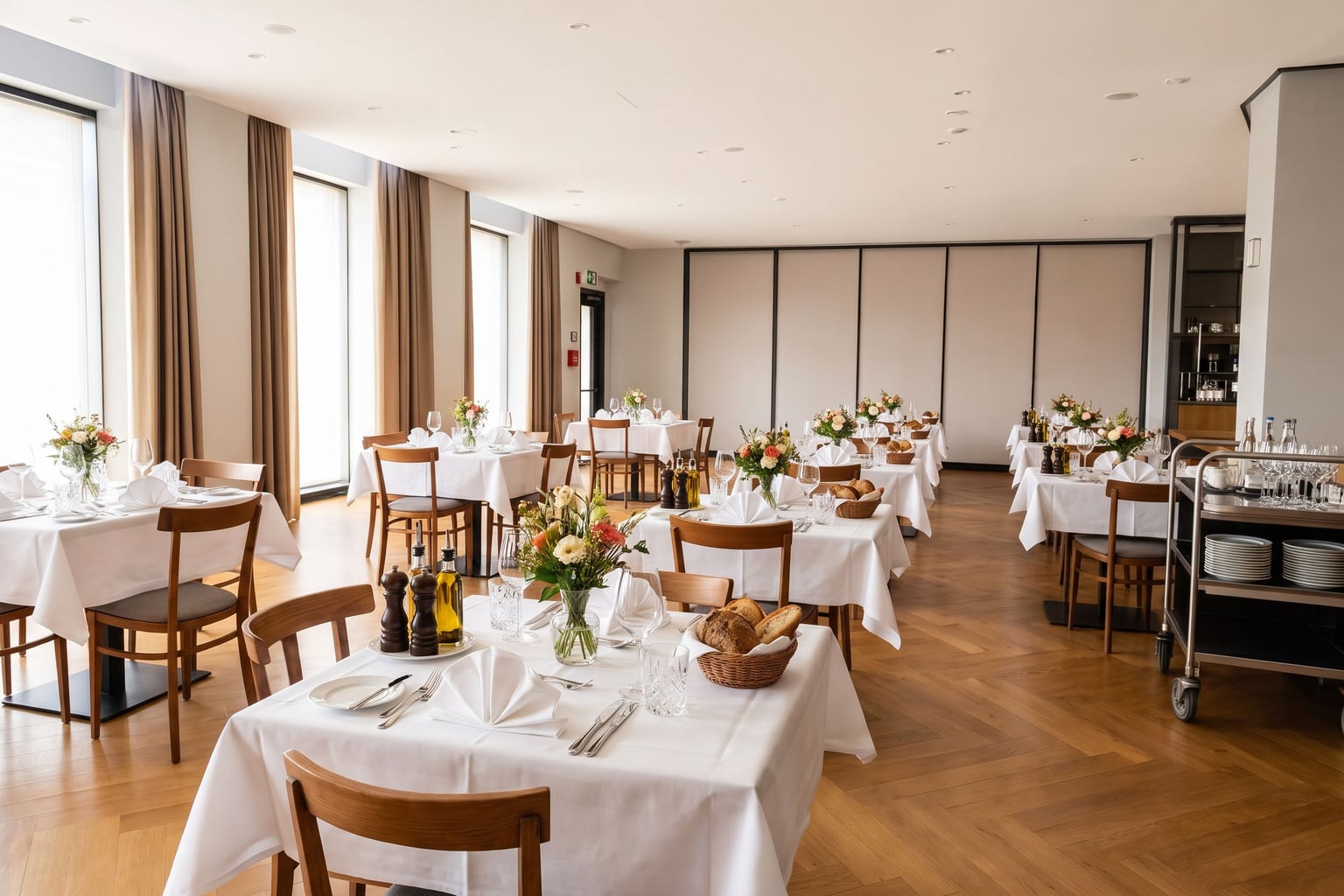
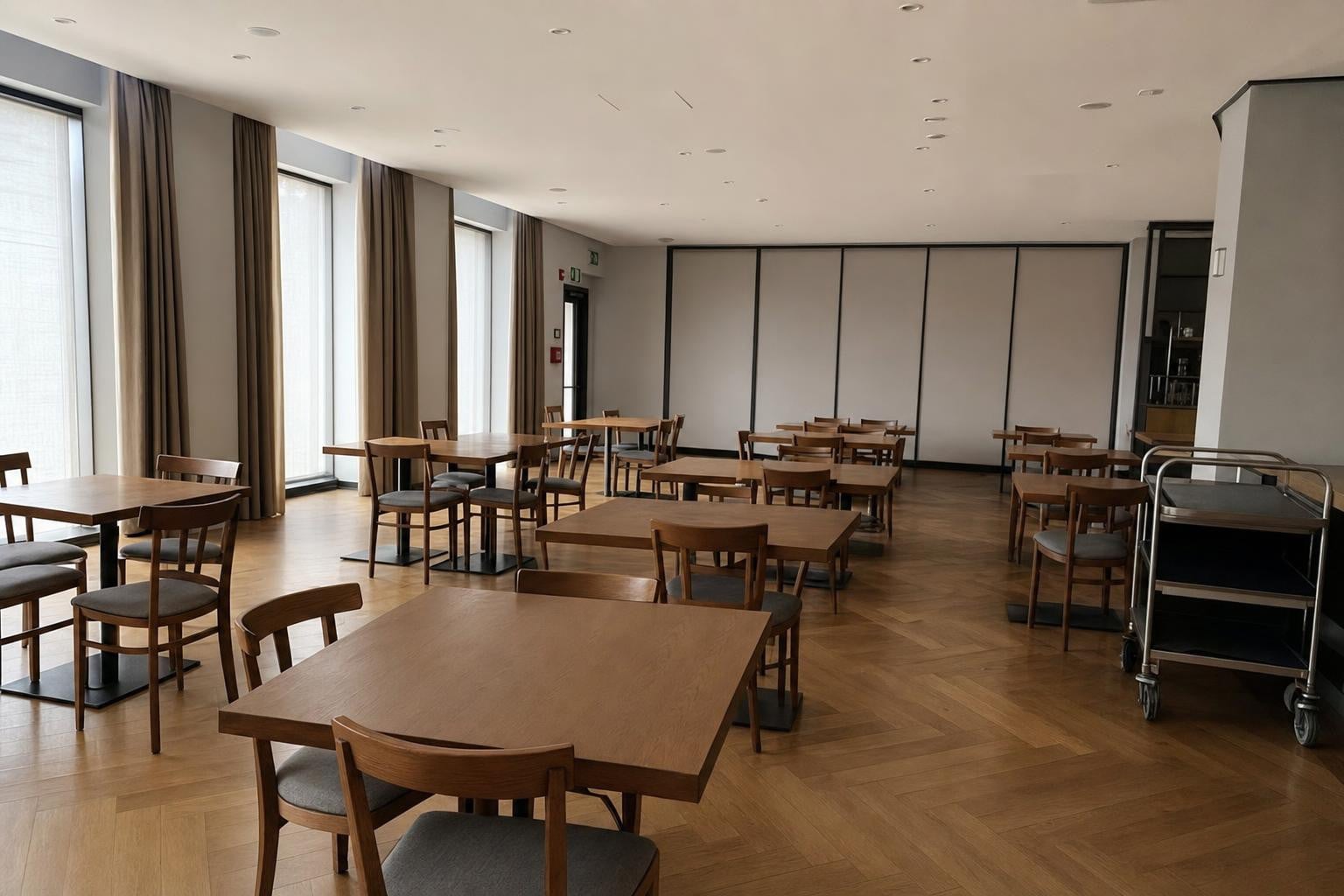
Restaurant
In Faithful mode, lighting, sharpness and tidiness change, while the volumes and the furniture stay those of the place.
It all comes down to the photos
On Booking, Expedia or Airbnb, a traveller compares a dozen properties in a few minutes. They skip the descriptions, look at the photos, and form an opinion before they have even seen your rates. A dimly lit room, a creased bed or a dull lobby is enough to send them to the next listing.
In most cases, the property itself is not the issue. It is the photos that fail to do it justice.
Every space in your property
Most AI editing tools are built for homes. Sublify covers the spaces a hotel actually has, each with its own corrections and enhancements.
| Space | What Sublify corrects | What you can add |
|---|---|---|
| Guest room | Clutter, cables, personal items, bedding smoothing, lighting, surfaces, colours | Plants and flowers, decorative cushions, candles, wall art, breakfast tray, mirror, rug |
| Lobby | Clutter and obstructions, lighting, surfaces, colours | Arranged cushions, flower bouquet, large plants, warm ambiance, coffee-table books, wall decor, polished floors |
| Breakfast room | Clutter, lighting, surfaces, colours | Golden pastries, fresh fruit, pressed juices, steaming coffee and tea, set tables, morning flowers, styled buffet |
| Restaurant | Clutter, lighting, surfaces, colours | Set tables, centrepieces, table candles, condiments and bread, ambient lighting, hanging plants, bar styling |
| Façade | Pavement, litter, overhead cables, lighting, surfaces, colours | Refreshed stonework, spotless windows, revived signage, greenery, architectural details |
| Pool and spa | Scattered towels, stray objects, lighting, surfaces, colours | Crystal-clear water, folded towels, spa candles, gleaming tiles, zen decor, robes and slippers |
| Gym | Clutter and cables, lighting, surfaces, colours | Aligned equipment, streak-free mirrors, spotless floor, hydration station, premium accents |
| Terrace and garden | Misplaced furniture, stray objects, lighting, surfaces, colours | Rolled towels, floral arrangements, lanterns and string lights, cocktails, lush greenery, sun-lounger cushions |
You tick what you want to add. Everything else in the room stays exactly as it is.
Guests should recognise your hotel when they arrive
The distinction has a very practical reason. A photo that is too good to be true disappoints on arrival, and that disappointment ends up in the reviews. Faithful mode exists to avoid that gap.
Creative mode is there for the times when you do want to reimagine a room.
Set an empty table in one click
Photographing a breakfast room before service is the most common situation, and the least appealing. Tables are bare, the buffet is empty. Sublify sets the tables and adds the pastries, the fruit and the coffee, without you having to shoot during service.
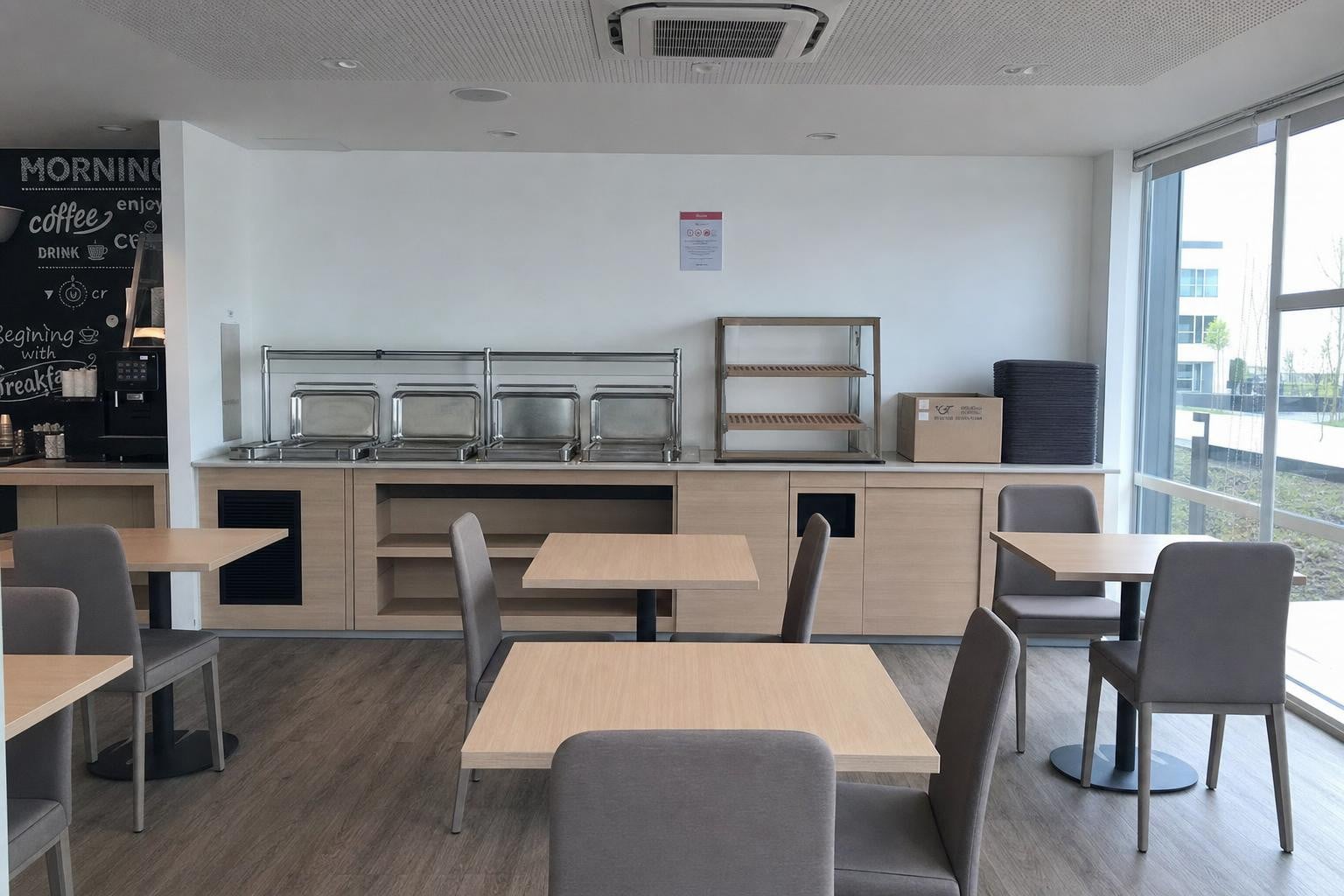 BEFORE
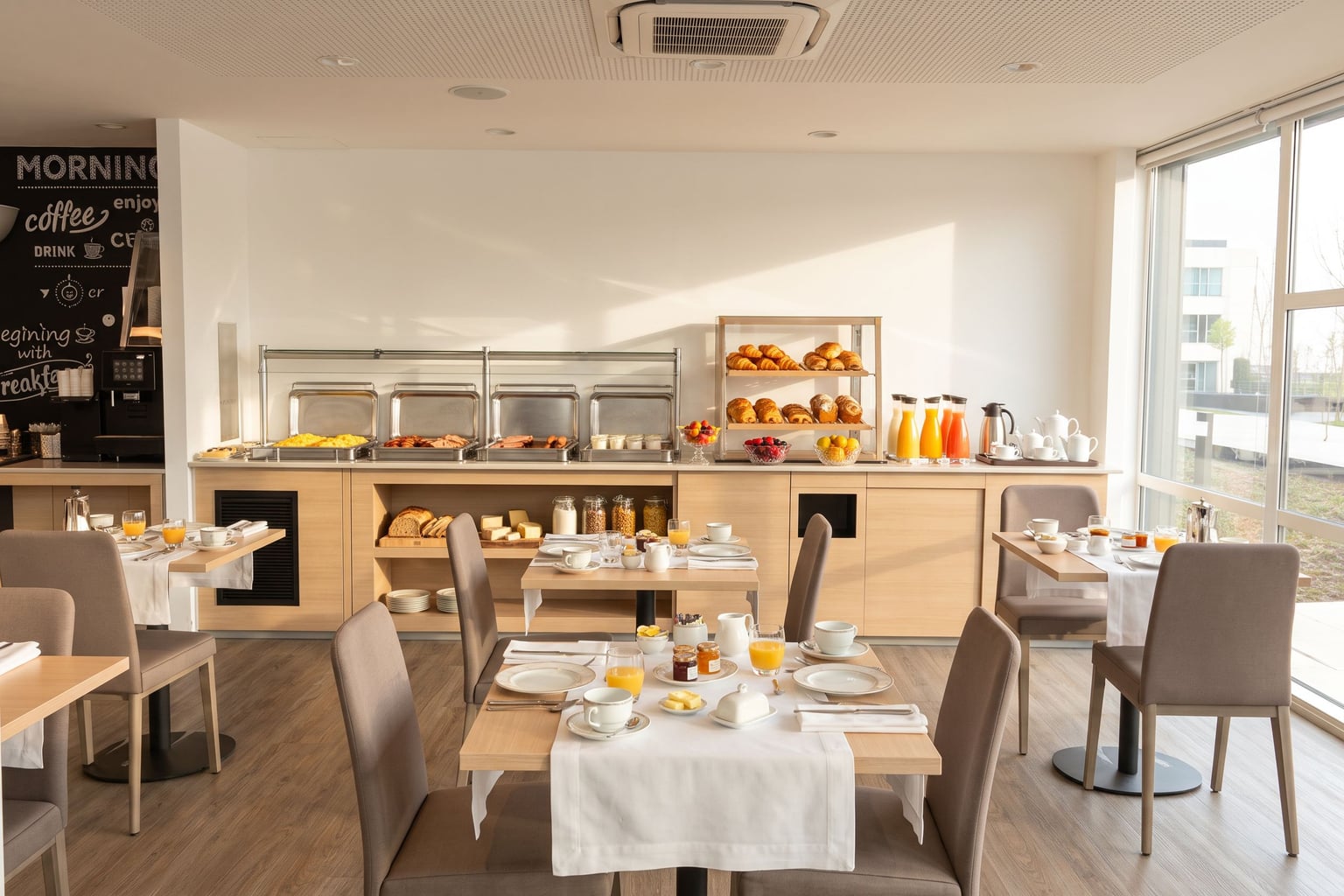 AFTER
AFTERComparing the tools?
Best AI Tool for Airbnb and Hotel Photos in 2026
A comparison of six AI tools to edit and stage interior photos for Airbnb rentals and hotels, based on their features and pricing.
Read the comparison →How it works
Upload the photo of your space
Choose the space type and the options
Get the visual in about thirty seconds
No subscription, no commitment
Mini
10 credits
€9.90
€0.99 / credit
- ✓Up to 10 photos
- ✓Every space type
- ✓2K upscale at 1 credit, 4K at 2
- ✓Credits never expire
Starter
30 credits
€29
€0.97 / credit
- ✓Up to 30 photos
- ✓Every space type
- ✓2K upscale at 1 credit, 4K at 2
- ✓Credits never expire
Essential
100 credits
€79
€0.79 / credit
- ✓A full property series
- ✓Every space type
- ✓2K upscale at 1 credit, 4K at 2
- ✓Credits never expire
Pro
250 credits
€149
€0.60 / credit
- ✓Several properties
- ✓Every space type
- ✓2K upscale at 1 credit, 4K at 2
- ✓Credits never expire
Try it on a photo of your property
You get three free credits, with no credit card. Upload a photo of a guest room, lobby or terrace and judge the result for yourself.
A professional photo shoot for a full property (sample rooms, lobby, restaurant, wellness areas, exteriors) typically runs between €1,200 and €2,000, more with a virtual tour. Sublify handles the same series for a few euros, starting from photos you already have.
Transform a photo3 free credits, no credit card
Frequently asked questions
Yes. A sharp photo taken straight on, with as much natural light as possible, gives a good result whatever the device. Professional gear helps, but it is not required.