Sublify vs Autoenhance.ai: which AI photo editor for your listings? (2026)

Autoenhance.ai and Sublify both use AI to improve real property photos, rather than inventing new interiors. That makes them closer than most tools compared on this blog. What separates them is the photographer they were built for. Autoenhance.ai is a post-production tool for real estate photographers, working from well-shot images, RAW files and bracketed exposures. Sublify starts from the photo an agent, a host or a hotel manager takes on a phone, without preparing the room. This comparison explains where each one is the better choice.
This article is written by the Sublify team. We've tried to be fair, including about where Autoenhance.ai does better. Prices were checked on 30 October 2026, in euros.
The short answer
| Autoenhance.ai | Sublify | |
|---|---|---|
| Built for | Real estate photographers, high volumes | Agents, hosts and hotels shooting their own photos |
| Starting point | Well-shot photos, RAW files, bracketed exposures | Any JPG, PNG or WEBP photo, including smartphone shots taken as they are |
| Pricing | €0.69 per image, or €27 a month for 100 images (limited offer) | Credit packs from €9.90 for 10 credits, no subscription |
| Free trial | Watermarked previews | 3 free credits with full downloads, no card |
| Maximum resolution | 6K | 4K |
| Clutter and bedding | Not listed on its features page | Removes clutter, cables and personal items, smooths bedding |
| Hotel spaces | Not a focus | Lobby, breakfast room, restaurant, spa, terrace |
Two tools, two photographers
Autoenhance.ai automates the work a real estate photographer does after the shoot. It merges bracketed exposures into one HDR image, accepts RAW files, pulls the window view so the outside stays visible, replaces overcast skies and corrects color and perspective, starting from a carefully taken photo.
Sublify is built for the people who take the photo themselves, often without the time to prepare the room. Its Faithful mode balances the light, straightens perspectives, removes clutter, cables and personal items, smooths the bedding and cleans surfaces, while keeping the place as it is. Embellishments such as plants or cushions are optional and off by default. Creative mode turns the photo into a premium editorial image for marketing, and a separate Home Staging studio furnishes an empty room or restyles a furnished one.
Pricing, compared fairly
Autoenhance.ai charges for the images you download: €0.69 per image as you go, or a monthly plan normally priced at €54 for 100 images and offered at €27 at the time of writing. Companies above 5,000 images a month get a custom offer.
Sublify sells prepaid credit packs with no subscription: €9.90 for 10 credits, €29 for 30, €79 for 100 and €149 for 250. Credits never expire. An edit costs 1 credit in 2K and 2 credits in 4K.
Per image, Autoenhance.ai costs less on its monthly plan. Sublify's credits pay for a different job, starting from photos that haven't been prepared, with no monthly bill.
Where Autoenhance.ai has the edge
For professional shoots, it handles RAW files, merges bracketed exposures, pulls window views and outputs up to 6K. It also offers an API and enhancements for 360° virtual tours.
Where Sublify is the better choice
Photos taken as they are: Sublify removes clutter, cables and personal items, and smooths the bedding, so you don't need to tidy the room before the shot.
Hospitality: Sublify handles the spaces hotels and restaurants actually have, from guest rooms and lobbies to breakfast rooms, restaurants, spas and terraces, and can set an empty table. See our AI photo editor for hotels.
Beyond enhancement: Creative mode for marketing visuals, and a Home Staging studio for empty or outdated rooms, in the same account.
No monthly bill: you buy credits when you need them, and they stay in your account.
Hotels and short-term rentals
A hotel manager or an Airbnb host rarely shoots in RAW or brackets exposures. They take a photo between two guests, with a bag on the chair and an unmade bed. Sublify's Faithful mode was designed for that moment: a tidy room, balanced light and a made bed, in the same space your guests will walk into. Before publishing, check what Airbnb and Booking.com allow in our guide to editing your Airbnb and Booking.com photos.
Which one should you pick?
You're a real estate photographer editing professional shoots in RAW: Autoenhance.ai is built for that workflow.
You're an agent who takes listing photos yourself, often on a phone: Sublify, which handles the clutter and the bedding you didn't have time to fix.
You run a hotel, a B&B or a restaurant: Sublify, for the spaces it covers.
You're an Airbnb host: Sublify, for photos taken between two stays.
You can try Sublify with 3 free credits, without a card.
FAQ
Can Sublify process RAW files?
No. Sublify accepts JPG, PNG and WEBP photos up to 25 MB, one photo at a time, which covers the photos most agents, hosts and hotels take. If you shoot RAW, export a high-quality JPEG first.
Can Sublify remove clutter from a photo?
Yes. In Faithful mode, it removes cables, personal items and clutter, and smooths the bedding, without adding or moving furniture.
Do Sublify credits expire?
No. Credits stay in your account until you use them.
Does Sublify need a subscription?
No. You buy credit packs when you need them, from €9.90.
Sources
Autoenhance.ai pricing page (autoenhance.ai/pricing), checked on 30 October 2026 in euros, with its monthly plan under a limited 50% offer. Autoenhance.ai features page (autoenhance.ai/features), checked on 30 October 2026. Autoenhance.ai API page (autoenhance.ai/api). Autoenhance.ai is a trademark of its owner. Also see our comparisons of Sublify vs Virtual Staging AI and Sublify vs Gepetto.
Read next

Sublify vs Virtual Staging AI: which tool for your listing photos? (2026)
Sublify vs Virtual Staging AI compared: what each tool does best, pricing checked in October 2026, and which one fits agents, hotels and Airbnb hosts.
Read article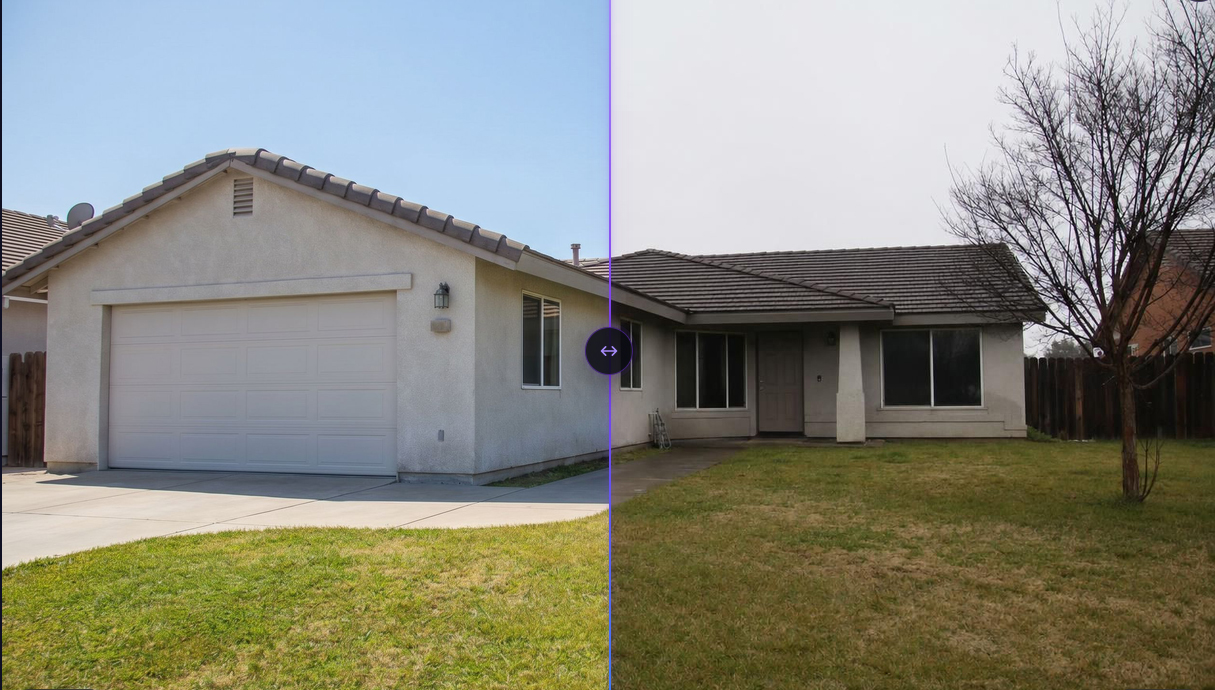
Automatically editing real estate listing photos: 2026 comparison
2026 comparison of AI tools for editing real estate listing photos: Gepetto, Pedra, IACrea, Nodalview, Sublify. Features, pricing, and use cases.
Read article
Sublify vs Gepetto: AI real estate photo editing comparison
Sublify vs Gepetto: a detailed comparison of both AI real estate photo editing tools. Features, modes, pricing, free trial, and output resolution.
Read article